![Eaw logo-1.jpg]](https://design.eaw.com/hs-fs/hubfs/Eaw%20logo-1.jpg?height=40&name=Eaw%20logo-1.jpg)
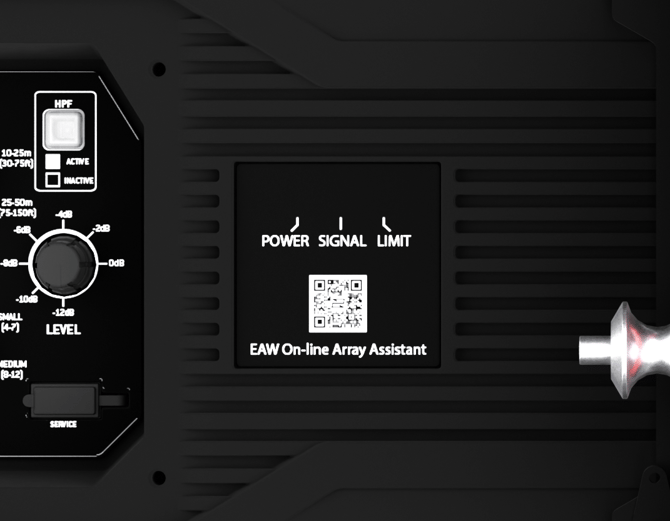
Power LED Indicator - Illuminates green when loudspeaker is powered on
Signal LED Indicator - The status indicator will turn green when an input signal is detected, yellow when at high input, and red when input is clipping. Low-voltage signals may not be able strong enough to trigger the LED indicator, but may still be heard from the speaker.
Limit LED Indicator - The limit indicator will turn red when the output has reached its maximum level and is in limit, and yellow when output is close to limit. If the LED blinks occasionally, EAW DynO™ will optimize the output and continue to provide clear output at its maximum volume. If the LED blinks frequently or is lit continuously, reduce the level control (1) to prevent output distortion.